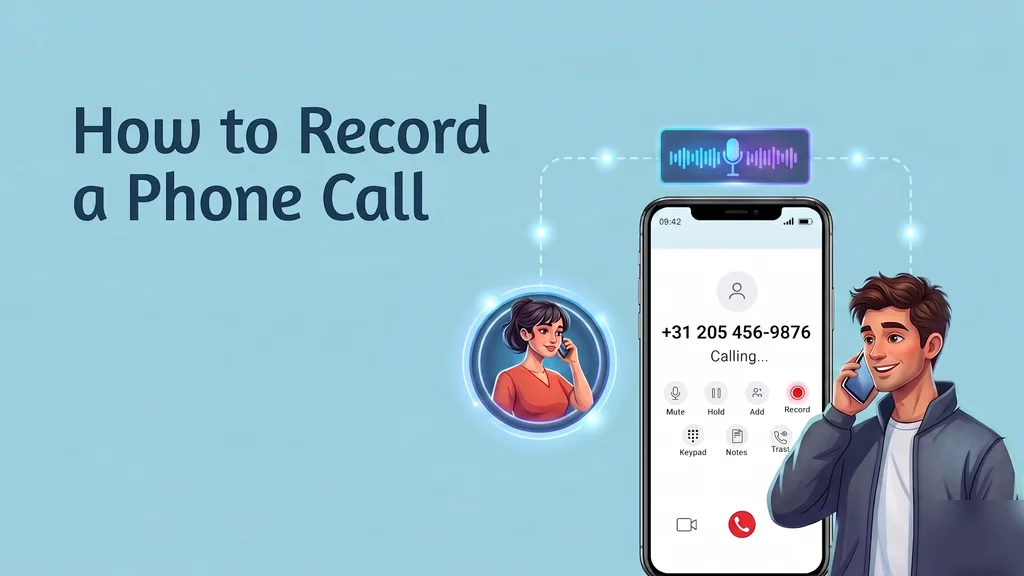
Recording phone calls has moved from a niche feature to a strategic tool. This guide covers the legal rules, how to record on Android and iPhone, the best apps, enterprise VoIP recording, and where AI-powered call analytics is heading.
Wholesale VoIP
How to Record a Phone Call: A Complete Guide
Why Record Phone Calls?
A phone call is one of the few places where intent shows up unfiltered — the exact objection a prospect raises, the precise promise a vendor makes, the sentence where a frustrated customer decides whether to stay or leave. For a long time, capturing that was treated as a back-office chore, something you did for compliance files or to settle the occasional dispute.
The thinking has shifted. A recorded call is now raw material for coaching, quality reviews, onboarding, and, more and more, machine analysis.
You might be an individual who simply wants an accurate record of one important conversation, or a company logging thousands of calls a day for audit and insight. Either way, the ability to record a call cleanly — and within the law — has become a genuinely useful skill.
This guide walks through the consent rules, the practical methods on each mobile platform, the apps worth knowing, and the enterprise approach that holds up at volume.
Is It Legal to Record a Phone Call?
Before you press record on anything, settle the consent question, because the answer changes from place to place. Broadly, the world runs on two models: one-party consent and two-party — sometimes called all-party — consent.
In a one-party consent jurisdiction, the recording is lawful as long as a single participant agrees to it, and that participant can be you. A large share of U.S. states, along with several countries, operate this way. In a two-party (all-party) consent jurisdiction, every person on the line has to be told about the recording and agree to it first.
California, Florida, and a number of other states sit in this camp, as do various countries abroad.
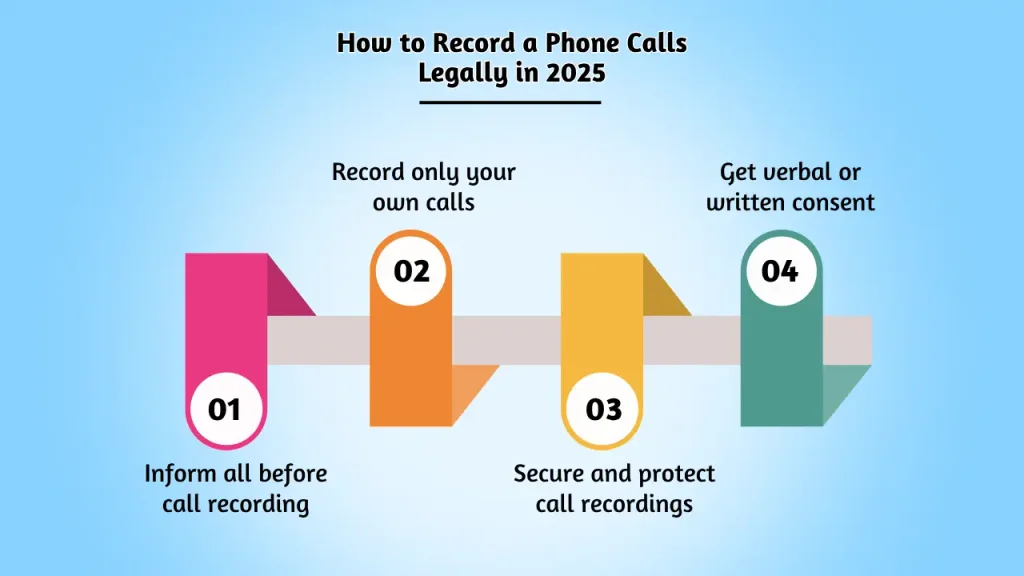
The cleanest way to never get this wrong is to behave as though all-party consent always applies and lead with an automated recording announcement — a short pre-call message saying the call may be recorded. That single step satisfies disclosure requirements and removes any argument about whether someone knew.
It is precisely why the line "this call may be recorded for quality and training purposes" has become so familiar; companies bake it into every line so nobody has to remember to say it.
Recording legally — know whether your jurisdiction requires one-party or all-party consent.
How to Record a Call on Android and iPhone
Recording on Android
Android handles this more gracefully than iOS. On Pixel phones and many other handsets, the native Google Phone app puts a record control right on the in-call screen wherever local law allows it. Tap it and the app plays a spoken notice to both parties that recording has begun, so disclosure is handled for you.
Where that native button is missing — it depends on the manufacturer, region, and Android version — a selection of third-party apps can step in, though how reliably they capture audio varies from device to device.
Recording on iPhone
Apple deliberately blocks apps from reaching directly into the call audio path, so there is no built-in record button. The standard workaround is the three-way conference trick: a recording service gives you a phone line you merge into your call as a third participant, and that line quietly captures everything. Apps built around this approach include TapeACall Pro and Rev Call Recorder.
The setup is a few taps clunkier than Android's single button, but it works dependably inside Apple's limits.
The Best Call Recording Apps Compared
Which app fits you comes down to your platform and what you intend to do with the recordings afterward. Here is how the popular options stack up.
App
Best for
Differentiator
Platform
Method
Google Phone App
Everyday Android users
Built in, free, announces recording automatically
Android
Native
Cube ACR
Power users who also call over apps
Captures regular calls plus many VoIP/app calls
Android
Native / accessibility
TapeACall Pro
iPhone users who need it to just work
No length limit, simple export and sharing
iOS & Android
Three-way conference
Rev Call Recorder
Anyone who needs transcripts
Free recording with paid human/AI transcription
iOS
Three-way conference
ACR Phone
Privacy-conscious Android users
On-device storage and granular recording controls
Android
Native / accessibility
Enterprise VoIP Call Recording
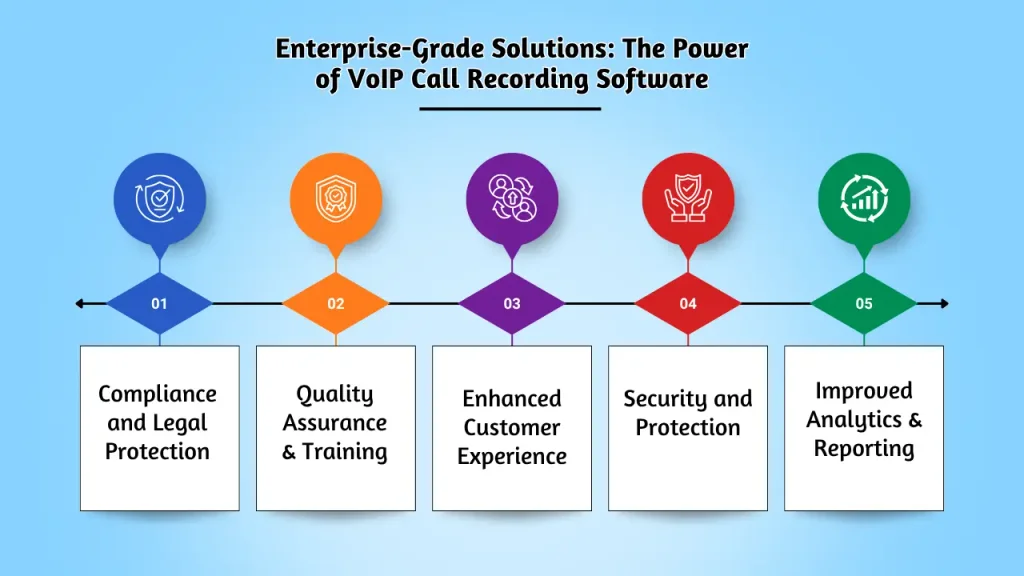
A mobile app is perfectly fine for the odd call you want to keep. The moment a business needs to record hundreds or thousands of calls, VoIP-based recording wins outright, and for four concrete reasons. Platform-level call recording built into your phone system is what makes this practical at scale.
Set once, runs everywhere. Recording is switched on at the cloud phone system level and then applies to every call automatically — no agent has to remember to tap anything — and capacity grows alongside call volume without extra hardware to buy.
One secure home for the audio. Recordings land in a single encrypted, permission-controlled repository instead of being strewn across personal phones, which makes retrieval, retention, and security something you can actually administer.
Cleaner audio. Capturing at the platform level pulls full-fidelity audio straight from the call media stream, rather than the muffled output of a phone mic held near a speaker or routed through a conference bridge.
Consistent compliance. Platform recording enforces retention schedules, audit trails, and automatic consent announcements uniformly across the whole organization, instead of leaving it to individual habits. Ajoxi bundles call recording with AI transcription, so every call is captured, stored securely, and turned into searchable text without manual steps.
Enterprise VoIP recording — automated, centrally stored, compliant, and AI-analyzed.
Common Call Recording Challenges (and Fixes)
Poor audio quality
Thin or muddy recordings almost always come back to network trouble or a weak input source. The remedy is to prioritize voice traffic with Quality of Service (QoS) and to use decent headsets, so the audio is clean before it is ever recorded.
Incomplete recordings
Recordings that never start or cut off partway are usually down to full storage, a permission the app was never granted, or a handset dying mid-conversation. Keep storage free, confirm the right permissions are on, and on calls that genuinely matter, make sure the device is charged. Platform-level recording sidesteps nearly all of these failure points by design.
Legal and compliance gaps
The single biggest exposure is recording someone without the consent the law requires. The fix is two-fold: train staff on the consent rules that apply to them, and put automatic recording notifications on every line so disclosure never hinges on a person remembering to mention it.
The Future: AI-Powered Call Analytics
Capturing the call is fast becoming just the opening move. Once audio is recorded and transcribed, AI can mine it for insight at a scale no team of human reviewers could ever reach.
Sentiment analysis traces how a conversation's mood rises and falls, flagging the customer who is quietly slipping toward churn or the call that turned a corner. Predictive analytics finds patterns across thousands of conversations at once — the objections that tend to precede a cancellation, the phrasing that tends to close.
And automated quality scoring grades every single call against a rubric instead of the handful a manual QA team can sample, so coaching is built on the full picture rather than a lucky guess.
These analytics are most powerful inside an omnichannel contact center, where recorded calls sit alongside chat, email, and SMS in one view — the kind of setup our guide to modern contact centers walks through. For compliance guidance, see FCC privacy rules.
Conclusion
Recording a phone call is easy. Recording one well — legally, clearly, and in a form you can actually put to use — asks for a little more care.
Get your consent rules straight, choose the method that suits your platform, and for any business operating at scale, lift recording into the VoIP layer where it becomes automatic, secure, compliant, and ready for AI to analyze.
Handled that way, call recording stops feeling like a compliance burden and starts acting like one of the richest sources of customer insight your organization has on tap.
FAQ: Recording Phone Calls
Is it legal to record a phone call?
It depends entirely on where you are. One-party consent regions allow a recording as long as one participant — which can be you — agrees. Two-party or all-party consent regions require everyone on the call to be informed and to agree first. The safest habit is to assume all-party consent and play an automatic recording announcement.
How do I record a phone call on Android?
On many Android phones the native Google Phone app shows a record button that automatically announces recording to both sides. Where that button is not available, third-party apps such as Cube ACR or ACR Phone can do the job.
How do I record a phone call on iPhone?
Apple blocks direct call recording, so iPhone users generally rely on the three-way conference method, in which an app like TapeACall Pro or Rev Call Recorder joins the call as a third line and records it from there.
What is the best call recording app?
For Android, the built-in Google Phone app is the simplest and is free, while Cube ACR adds support for app and VoIP calls. For iPhone, TapeACall Pro is the reliable pick for unlimited recording, and Rev Call Recorder is best when you also want transcripts. For a business, integrated VoIP recording beats any standalone app.
Why is VoIP call recording better for businesses?
VoIP recording runs automatically on every call, keeps recordings in one secure central store, captures clean platform-level audio, and applies compliance and retention policies the same way across the whole company. It also feeds AI transcription and analytics, which phone apps cannot do at scale.
Run your voice on Ajoxi.
AI receptionists, wholesale routes, virtual numbers — built on one platform with transparent pricing and a 24/7 NOC.