Ajoxi
  • Pillar
    CLOUD PHONE

    Cloud phone, messaging, video, fax, chat — the full UCaaS stack.

    • Virtual Phone NumberLocal & toll-free numbers, anywhere
    • Business PhoneCalling, SMS, video, one login
    • Customer EngagementEvery channel, one thread
    • Personal AIAI sidekick for every rep
    • SMS & MMSText from the main business line
    • Team ChatInternal chat, tied to customers
    • Video MeetingsRooms with AI notes + recap
    • Online FaxFax without the fax machine
    • Website ChatbotAuto-resolves order status & returns
    • Phone SystemModern PBX with AI built in
    • UCaaSUnified communications platform
    Featured
    Everything included.
    Cloud phone, AI contact center, AI Receptionist, SMS, video, 300+ integrations.
    See plans & pricing
  • Core Capabilities
    • AI Receptionist24/7 first answer · 32 languages
    • AI SentimentRoutes upset callers automatically
    • AI Agent AssistWhisper scripts + next-best-action
    • Conversation IntelligenceTranscripts, sentiment, objections
    • Call RecordingFull fidelity + keyword search
    • Auto-attendantDrag-and-drop visual IVR builder
    • Supervisor ToolsListen · whisper · barge · audit log
    • Toll-free Numbers800, 888, 877 — provisioned fast
    • Number PortingKeep your existing numbers
    • Call ForwardingRoute calls to any device
    • International CallingCall worldwide at low rates
    • Caller ID ControlChoose the number callers see
    • AI Appointment BookingCallers book without a human
    • Call QueuesHold and distribute inbound calls
    • Call AnalyticsVolume, outcomes, and trends
    • Visual VoicemailRead and play your voicemail
    • CRM IntegrationsSync calls to your CRM
    New
    AI Sentiment · live scoring.
    Routes upset customers to senior agents the moment sentiment dips. On every paid plan.
    See AI Sentiment
  • By Industry & Team
    • FinanceSOC 2 · FINRA-ready audit trails
    • RetailOmnichannel + cart-recovery SMS
    • SaaSAPIs + Personal AI on every seat
    • LogisticsMulti-site dispatch routing
    • Sales TeamsPower dialer + live AI coaching
    • Support TeamsShared memory across 8 channels
    • Remote TeamsSame number on every device
    • SMBAI receptionist as your front desk
    • Enterprise ITSSO, SCIM, multi-site governance
    Most adopted
    A calling stack compliance trusts.
    Call recording, STIR/SHAKEN, sentiment routing. SOC 2, PCI, and FINRA-ready audit trails.
    See finance
  • Native Sync
    • HubSpotTwo-way sync · lifecycle triggers
    • ZohoCRM · Desk · Books · Bigin
    Coming soon
    Salesforce. Pipedrive. Freshsales.
    All three native two-way syncs in Q3 2026. Want a heads-up on launch?
    Email me on launch
  • Pricing
  • Learn
    • BlogEngineering & product notes
    • Customer storiesReal outcomes, real numbers
    • GuidesStep-by-step playbooks
    • WebinarsLive every Thursday · on-demand
    • Contact UsTalk to sales or get support
    Build
    • DocsHow everything works
    • API referenceREST + webhooks
    • SDKsNode, Python, Go, Ruby
    • ChangelogEvery ship, in one place
    Trust
    • Status pageLive uptime + incidents
    • Security + complianceSOC 2 · GDPR · PCI
    • PrivacyWhat we collect & why
    • TermsThe contract, in chapters
    Fresh ink
    8,400 calls, measured.
    AI receptionist accuracy by language, accent, and call type — the unedited numbers.
    Read the post
  • English flagEnglish
Sign inStart Trial
Cloud Phone
Virtual Phone NumberLocal & toll-free numbers, anywhereBusiness PhoneCalling, SMS, video, one loginCustomer EngagementEvery channel, one threadPersonal AIAI sidekick for every repSMS & MMSText from the main business lineTeam ChatInternal chat, tied to customersVideo MeetingsRooms with AI notes + recapOnline FaxFax without the fax machineWebsite ChatbotAuto-resolves order status & returnsPhone SystemModern PBX with AI built inUCaaSUnified communications platform
Contact Center
OmnichannelOne queue for every channelOutbound DialerPredictive, power, previewAgent AssistLive whisper coachingSupervisor AssistSpot bad calls in real timeInteraction AnalyticsAuto-QA, topic trendsEnterprise500+ seat operations
AI Family
Ajoxi VoiceAI Receptionist that books appointmentsAI AssistantDrafts, summaries, follow-upsConversation AIReads every call so you don't miss a thingVoice AgentsAI agents that talk to your callers
AI Receptionist24/7 first answer · 32 languagesAI SentimentRoutes upset callers automaticallyAI Agent AssistWhisper scripts + next-best-actionConversation IntelligenceTranscripts, sentiment, objectionsCall RecordingFull fidelity + keyword searchAuto-attendantDrag-and-drop visual IVR builderSupervisor ToolsListen · whisper · barge · audit logToll-free Numbers800, 888, 877 — provisioned fastNumber PortingKeep your existing numbersCall ForwardingRoute calls to any deviceInternational CallingCall worldwide at low ratesCaller ID ControlChoose the number callers seeAI Appointment BookingCallers book without a humanCall QueuesHold and distribute inbound callsCall AnalyticsVolume, outcomes, and trendsVisual VoicemailRead and play your voicemailCRM IntegrationsSync calls to your CRM
FinanceSOC 2 · FINRA-ready audit trailsRetailOmnichannel + cart-recovery SMSSaaSAPIs + Personal AI on every seatLogisticsMulti-site dispatch routingSales TeamsPower dialer + live AI coachingSupport TeamsShared memory across 8 channelsRemote TeamsSame number on every deviceSMBAI receptionist as your front deskEnterprise ITSSO, SCIM, multi-site governance
HubSpotTwo-way sync · lifecycle triggersZohoCRM · Desk · Books · Bigin
Learn
BlogEngineering & product notesCustomer storiesReal outcomes, real numbersGuidesStep-by-step playbooksWebinarsLive every Thursday · on-demandContact UsTalk to sales or get support
Build
DocsHow everything worksAPI referenceREST + webhooksSDKsNode, Python, Go, RubyChangelogEvery ship, in one place
Trust
Status pageLive uptime + incidentsSecurity + complianceSOC 2 · GDPR · PCIPrivacyWhat we collect & whyTermsThe contract, in chapters
  • English flagEnglish
Sign inStart Trial
Ajoxi

Cloud phone and AI contact center on one carrier-grade network.

SOC 2GDPRPCI-DSS

Suite C, Level 7, World Trust Tower,
50 Stanley Street, Central,
Hong Kong

info@ajoxi.com+1 (512) 612-4425

Cloud Phone

  • Business Phone
  • Customer Engagement
  • SMS & MMS
  • SMS API
  • Team Chat
  • Video Meetings
  • Phone System

Contact Center

  • Omnichannel
  • Outbound Dialer
  • Agent Assist
  • Interaction Analytics
  • Enterprise CCaaS

AI

  • AI Platform
  • AI Receptionist
  • AI Assistant
  • Conversational AI
  • AI Sentiment
  • Conversation Intelligence

Solutions

  • Finance
  • Retail & eCom
  • SaaS & Tech
  • Sales Teams
  • SMB

Reseller

  • Wholesale VoIP
  • Wholesale Voice
  • SIP Trunking
  • SIP Trunking Providers
  • CLI Routes

Company

  • Pricing
  • About
  • Customers
  • Contact Us
  • Country Codes
  • Area Codes
  • Docs
  • Status
  • Security

© 2026 Ajoxi. All rights reserved.

All systems normal
  • Privacy
  • Terms
  • Sitemap
Blog/Wholesale VoIP/Cloud Phone System: Features, Benefits & How to Choose

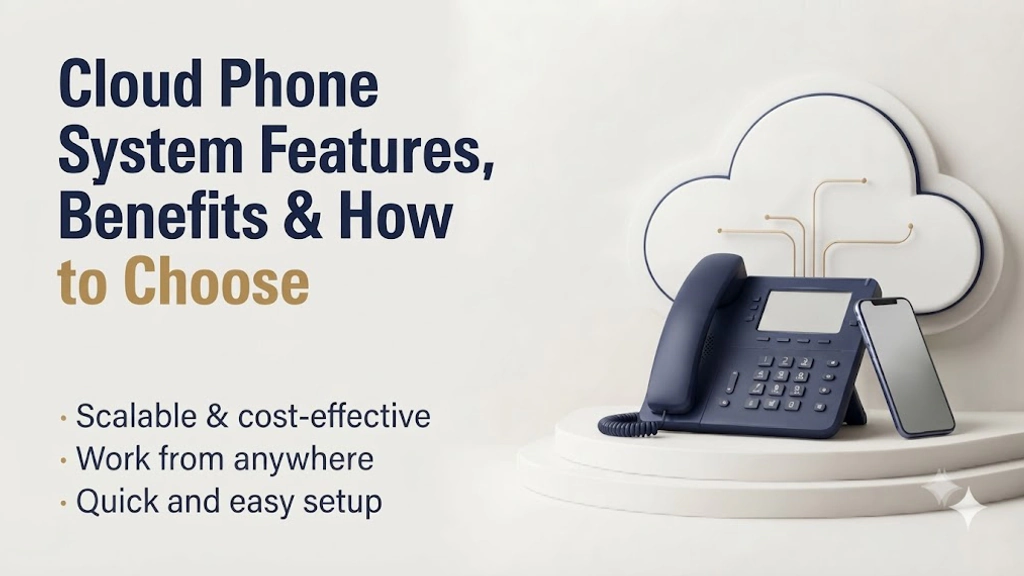
Cloud Phone System: Features, Benefits & How to Choose

The business phone no longer needs a closet full of hardware. This guide explains what a cloud phone system is, how it works, the features that matter, how it compares with an on-premise PBX and how to choose a provider.
Wholesale VoIP

Cloud Phone System: Features, Benefits & How to Choose

Cloud Phone System: Features, Benefits & How to Choose
Table of Contents
  • 1.Introduction
  • 2.What it is
  • 3.How it works
  • 4.Core features
  • 5.vs. on-premise PBX
  • 6.Benefits
  • 7.Pricing
  • 8.Choosing a provider
  • 9.Conclusion
  • 10.FAQ

Introduction

The office phone used to be a box in a closet. When it broke, someone called an engineer. When the company opened a second site, someone bought a second box. And when the team started working from home, the phone stayed behind at the desk.

A cloud phone system removes the box. Calls, voicemail, menus and extensions run on a provider's network and reach people on whatever device they carry. That shift is why so many businesses are replacing PBX hardware rather than upgrading it.

This guide explains what a cloud phone system is, how it works, which features matter, how it compares with an on-premise PBX and what to check before choosing a provider.

What Is a Cloud Phone System?

A cloud phone system is a business phone service hosted by a provider and delivered over the internet. Instead of owning call-handling hardware, you subscribe to the service and connect through desk phones, computer softphones or mobile apps.

The same functions a traditional PBX performed, such as extensions, hold, transfer, voicemail, hunt groups and auto-attendants, run in the provider's data centers. You manage them through a web console rather than a hardware panel.

You may also see it called a hosted PBX, a virtual PBX or a VoIP phone system. The labels overlap. The common idea is that the phone system is a service you use, not equipment you operate.
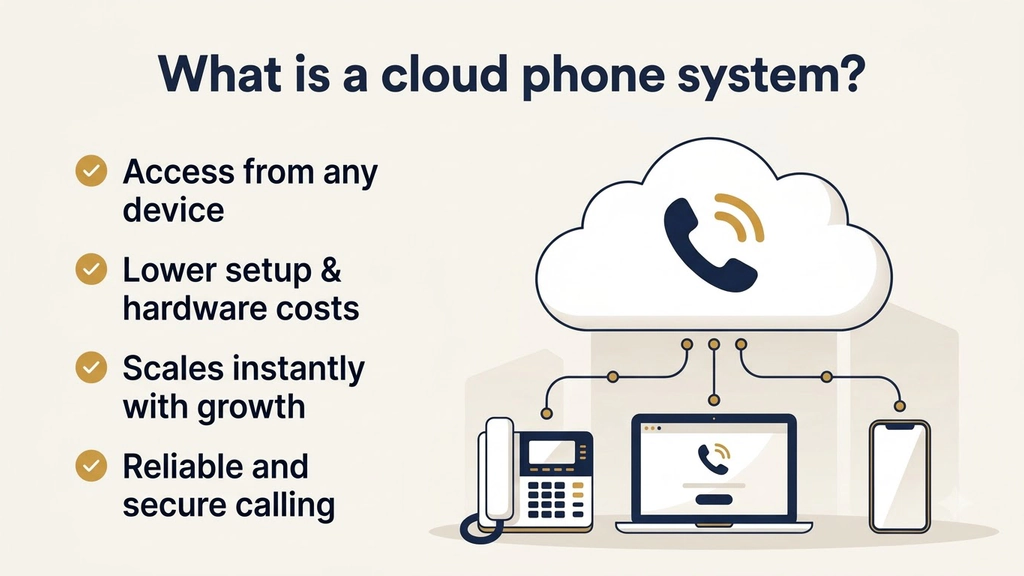
Cloud phone system connecting a desk phone, laptop and mobile through the cloud
One service, every device.

How a Cloud Phone System Works

Every call follows the same basic path.

  • Connect. A user places a call from a desk phone, an app or a browser. The device sends the request over the internet to the provider.
  • Process. The provider's platform applies your rules: which extension rings, which menu plays, which team answers and at what hours.
  • Route. The call travels across the provider's carrier connections to its destination, whether that is a colleague, a customer's mobile or a landline.
  • Deliver. Voice is converted back to audio and delivered to the other end, with the caller ID you have configured.

Because the logic lives in the cloud, a change made in the admin console applies to every user and site at once.

Core Features of a Cloud Phone System

Most platforms advertise long feature lists. These are the ones that shape day-to-day use.
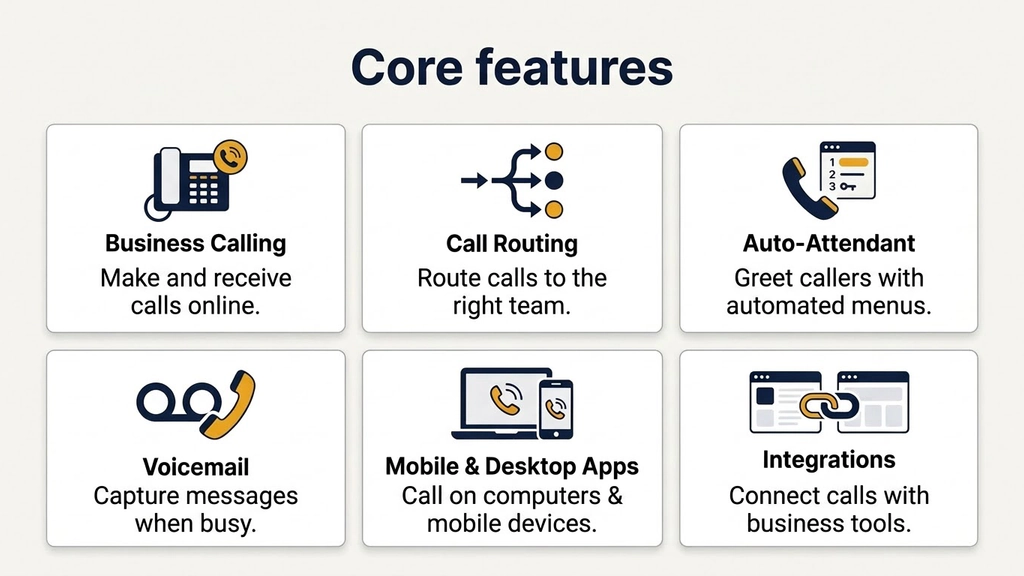
  • Extensions and direct numbers. Each person gets an extension, and often a direct number, that follows them across devices.
  • Auto-attendant and IVR. Multi-level menus that greet callers and route them by department, language or time of day.
  • Ring groups and queues. Calls ring several people at once or wait in a queue for the next available team member.
  • Mobile and desktop apps. Softphones for phones and computers, using the same business number as the desk phone.
  • Voicemail with transcripts. Messages delivered to email or the app, with text so they can be scanned instead of played.
  • Call recording. Recordings with search and an audit trail, useful for training and compliance.
  • Number porting and toll-free numbers. Keep existing numbers and add 800, 888 or 877 lines when customers expect them. Our US toll-free number guide explains how those prefixes work.
  • Integrations. Call data and contacts synced with CRM tools so conversations are logged automatically.
  • AI features. Automated receptionists, call summaries and sentiment tracking, increasingly built into the same platform.
Six core cloud phone system features: business calling, call routing, auto-attendant, voicemail, apps and integrations
The features that shape day-to-day use.

Cloud Phone System vs. On-Premise PBX

FactorOn-premise PBXCloud phone system
Upfront costHigh: hardware, installation, licensesLow: subscription, usually per user
Where it runsA server or cabinet at your siteProvider's data centers
Adding users or sitesHardware and engineer visitsSettings change in an admin console
Remote workNeeds VPNs or special hardwareWorks through apps on any device
Maintenance and upgradesYour team or a contractorHandled by the provider
ResilienceOne site, one failure pointCalls can reroute to other devices or sites
CustomizationDeep, but costlyBroad, self-service

A PBX still makes sense in a few cases, such as sites with no reliable internet or strict requirements to keep all infrastructure on premises. For most other businesses, the cloud model costs less to run and adapts faster as the company changes.
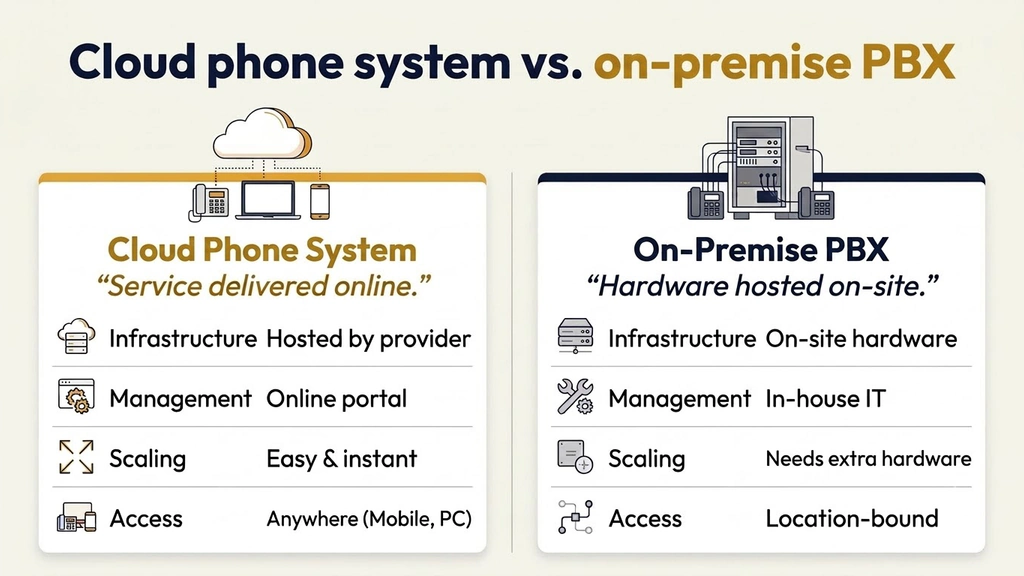
Side-by-side comparison of a cloud phone system and an on-premise PBX
Hosted service versus on-site hardware.

The Benefits of a Cloud Phone System

Lower and more predictable cost. There is no hardware refresh cycle and no maintenance contract. Spending becomes a monthly line item that scales with headcount.

One number, any device. Staff answer the business number on a desk phone, laptop or mobile, so customers never need to know where someone is working. A business phone service gives each seat a direct number that works the same way on every device.

Fast setup and growth. New users and locations are provisioned in minutes. Seasonal or temporary staff can be added and removed just as quickly.

Built-in continuity. If an office loses power or connectivity, calls can be forwarded to mobile apps or other sites, so the business stays reachable.

Better visibility. Call logs, recordings and usage reports sit in one dashboard, which makes it easier to see missed calls and busy periods.

Simple scaling to messaging and meetings. Most platforms add SMS, team chat, video and fax on the same account when you need them.

How Cloud Phone System Pricing Works

Cloud phone systems are sold as a subscription, and the headline seat price is rarely the whole bill. Three pricing shapes are common.

  • Per user, per month. Each person gets a seat that includes calling and basic features.
  • Tiered plans. Bundles that unlock features such as recording, analytics or advanced menus at higher levels.
  • Usage-based add-ons. Charges for international minutes, toll-free numbers, SMS volume or extra storage.

Before comparing quotes, ask what the seat includes, how international and toll-free minutes are billed, whether setup, porting or hardware fees apply, and what the contract and exit terms are. A provider that publishes these answers on one page is easier to trust than one that needs a sales call to explain the basics.

How to Choose a Cloud Phone System Provider

Feature checklists converge quickly, so decide on the points that actually differ.

  • Network quality. Ask about carrier-grade routing, redundancy and how calls fail over. Request real call-quality data from a trial, not a lab test.
  • Number portability. Confirm how long porting takes, whether you can run old and new services in parallel and whether port-out fees apply.
  • Coverage. Check that the countries, number types and toll-free ranges you need are available.
  • Compliance and recording rules. Look for certifications such as SOC 2 and PCI-DSS, plus controls for recording consent in the regions you operate.
  • Device and app support. Standard SIP desk phones and apps on every operating system keep your options open.
  • Integrations. A real two-way CRM sync saves more time than a link to a contact page.
  • Pricing clarity. Seat price, minute allowances, international rates and add-ons should be visible before you talk to sales.

Ajoxi's business phone service is built around these checks: a direct number for each seat, softphone apps for iOS, Android, macOS and Windows, number porting with no port-out fees and a 14-day free trial with no credit card, so you can test it on your own network before you commit.

One last check is whether the provider is genuinely cloud-native. The U.S. National Institute of Standards and Technology defines cloud services by on-demand self-service, broad network access and rapid elasticity in The NIST Definition of Cloud Computing. A provider that needs an engineer visit to add a user is not meeting that standard.
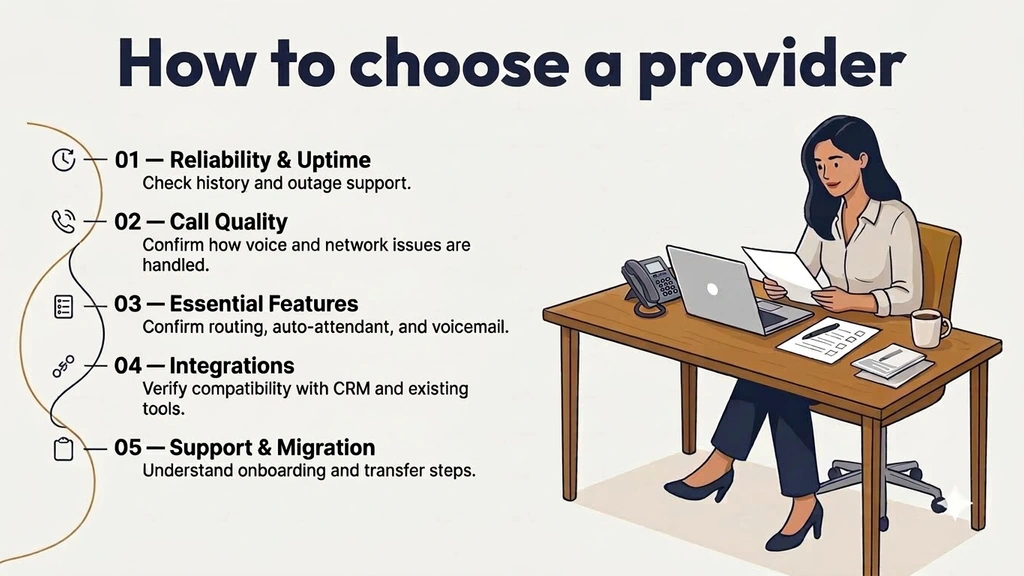
Five-point checklist for choosing a cloud phone system provider
Five checks before you sign.

Conclusion

A cloud phone system is the business phone as a service: hosted by a provider, reachable from any device and managed from one console. For most companies it replaces a closet of hardware with a platform that grows, moves and recovers as the business does.

The right provider is the one whose network holds up under your real calls, whose pricing you can read without a call to sales and whose exit terms you would be comfortable with. Start with a trial, port a few numbers and measure before moving the whole company.

Contact Center Solutions: Features, Benefits & How to Choose

What a contact center is, how it differs from a call center, the core features, cloud benefits, how to choose a platform, and the KPIs that measure performance.

Read the article

Frequently Asked Questions: Cloud Phone Systems

What is a cloud phone system?

A cloud phone system is a business phone service hosted by a provider and delivered over the internet. It handles calling, extensions, voicemail and menus without on-site PBX hardware.

How is a cloud phone system different from a regular phone line?

A traditional line is tied to a physical location and device. A cloud phone system ties the number to your account, so it works on desk phones, computers and mobile apps from any location.

Do I need special equipment?

Usually not. You need a reliable internet connection and either IP desk phones or apps on your computers and mobiles. Many standard SIP phones work with cloud platforms.

Can I keep my existing business number?

Yes, in most cases. Providers port your numbers from the old carrier, which typically takes days to a couple of weeks. Keep the old service active until porting completes.

Is a cloud phone system reliable enough for business?

It can be, if the provider runs a redundant carrier-grade network and your internet connection is solid. Ask for call-quality data from a trial and check how the platform handles failover.

Run your voice on Ajoxi.

AI receptionists, wholesale routes, virtual numbers — built on one platform with transparent pricing and a 24/7 NOC.

See pricing Talk to us
Keep Reading

Related reading

Hand-picked next reads from the Ajoxi blog.

Contact Center Solutions: Features, Benefits & How to Choose
Wholesale VoIP

Contact Center Solutions: Features, Benefits & How to Choose

What a contact center is, how it differs from a call center, the core features, cloud benefits, how to choose a platform, and the KPIs that measure performance.

Read article
What Is VoIP Termination? The Complete Guide
Wholesale VoIP

What Is VoIP Termination? The Complete Guide

How VoIP termination works, the types of termination services, the benefits, the security and quality factors that matter, and how to choose a provider.

Read article
International Call to USA: The Complete Guide to VoIP & Safety
Area Codes

International Call to USA: The Complete Guide to VoIP & Safety

A complete guide to making international calls to the USA — the +1 country code, exit codes by region, 4-step dialing, 16-city US area-code table, VoIP cost savings, US virtual phone numbers, calling US toll-free from overseas and scam protection.

Read article
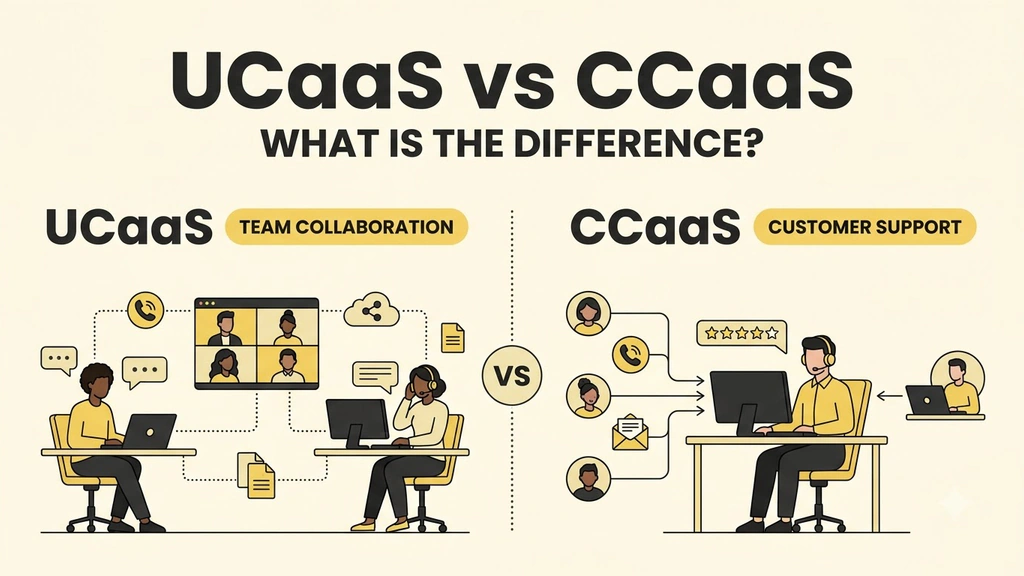
UCaaS vs CCaaS: What Is the Difference?
Wholesale VoIP

UCaaS vs CCaaS: What Is the Difference?

What UCaaS and CCaaS each do, where they overlap, five questions that settle the choice, and when a business needs both.

Read article
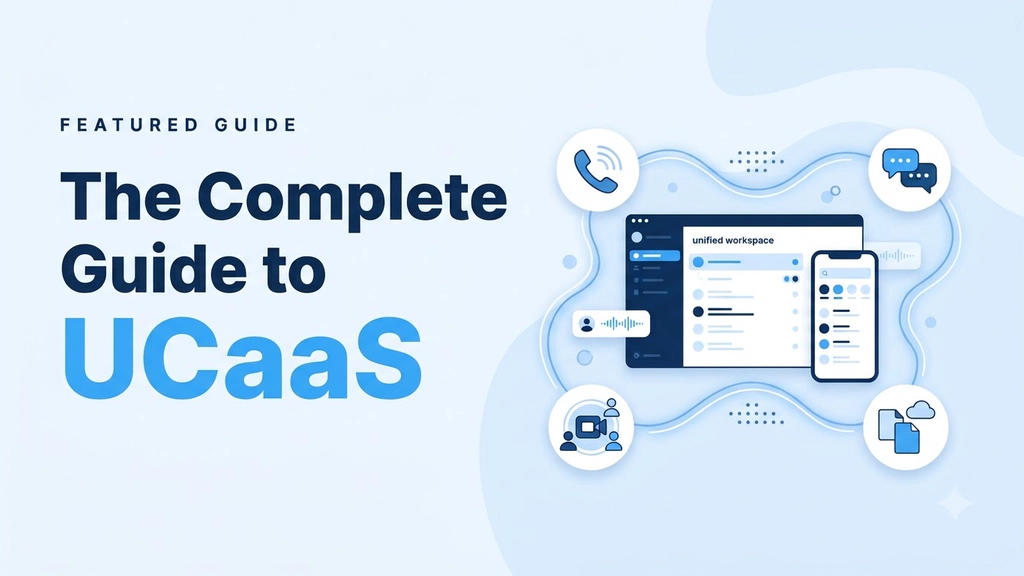
The Complete Guide to UCaaS
Wholesale VoIP

The Complete Guide to UCaaS

What UCaaS is, who uses it, what a platform includes, how it compares with a PBX and CCaaS, how pricing works, how to switch and how to choose a provider.

Read article